
Planner Premium
Planner Premium for teams, portfolio for leadership: how the two layers complement each other

Planner Premium has gained ground in companies that use Microsoft 365. It is simple for teams, has a schedule, a board and dependencies, and sits close to Teams and Outlook. As the number of plans grows, however, questions arise that a plan alone cannot answer: how much the set of projects costs, which ones are at risk and where people are short.
What Planner Premium does well
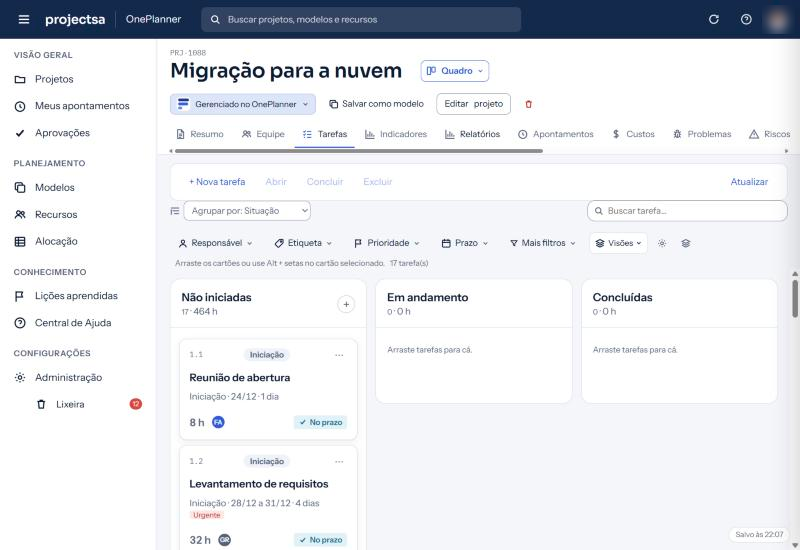
For the people doing the work, Planner Premium handles day-to-day needs: tasks, owners, deadlines, boards and an easy-to-maintain timeline. It is the right tool for many teams, and there is no reason to take them off it.
What the organization needs beyond the plan
- A view of the whole: every project side by side, grouped by portfolio, program or department.
- Costs: budget, planned cost and actual cost for each project and the portfolio.
- Risks and changes: a structured register, impact analysis and committee approval.
- The same indicators for all: health from 0 to 100, with the same rules on any project.
- Resources: allocation by person and week, across all projects.
How the two layers connect
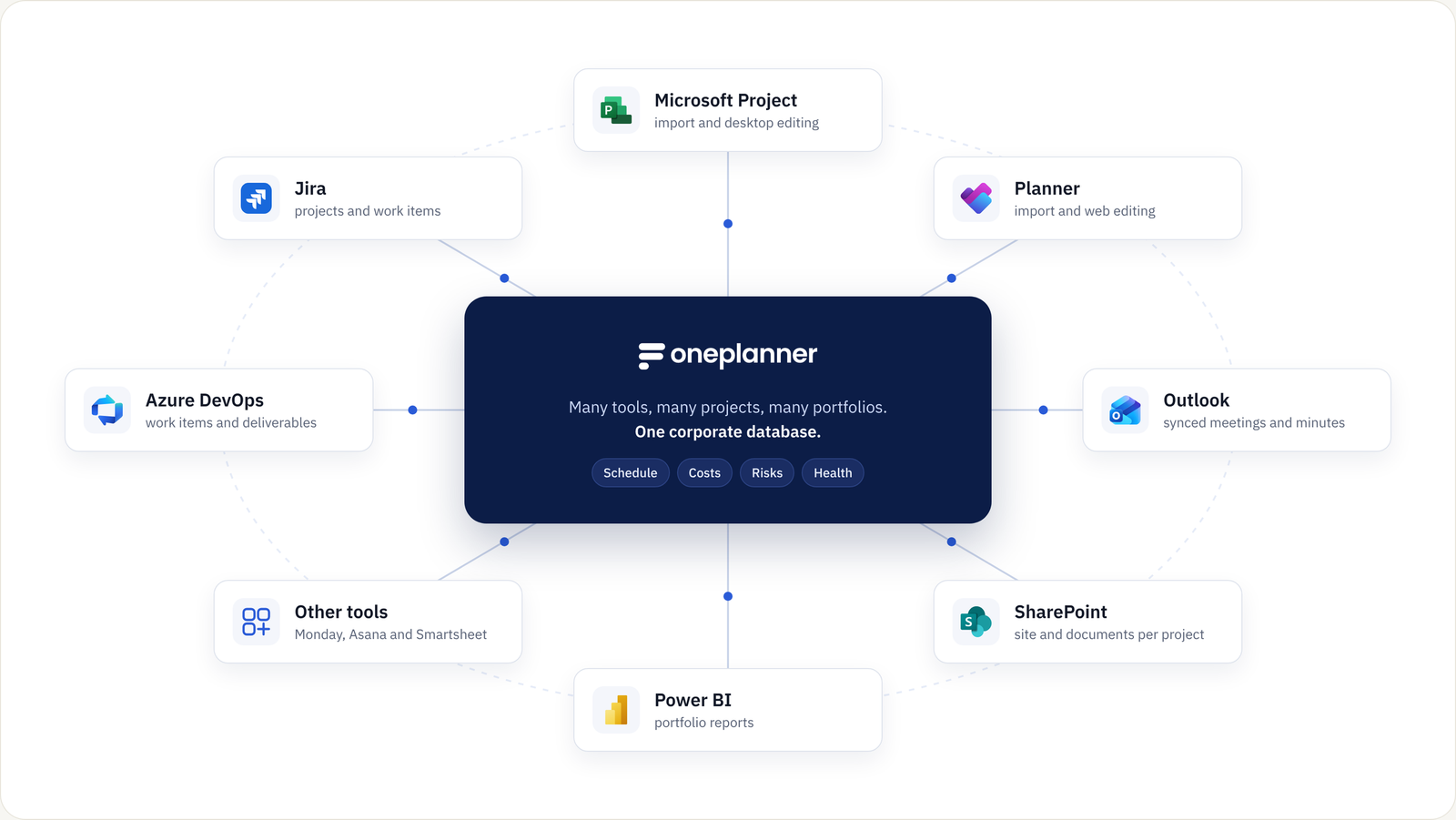
In OnePlanner, a project can be marked as managed in Planner Premium. Existing plans are brought into OnePlanner, and a project created in OnePlanner can generate the plan in Planner, including in another environment. The team stays in Planner, and the PMO tracks the same project in the portfolio, alongside projects from Microsoft Project, Jira or OnePlanner itself.
An example routine
- The marketing department plans the campaign in Planner Premium, as it already did.
- The project shows up in the Project Center, with owner, budget and portfolio.
- Project health is calculated with the same rules as the other projects.
- In the portfolio meeting, leadership sees the campaign next to construction and technology projects, without a side spreadsheet.
See how it works in OnePlanner: program and portfolio management.
Book a demo and see your Planner plans in a consolidated portfolio.
Frequently asked questions
Do Planner users need to learn OnePlanner?
No. The team stays in Planner. OnePlanner is used by the PMO and management.
Does it work with basic Planner?
This post covers Planner Premium. For basic Planner, talk to us about your scenario.
Where is the data stored?
In the Dataverse of your company's Microsoft environment.